What is an API? Simple Explanation for Beginners
Learn what an API is with simple real-world examples. This beginner's guide explains how APIs work, types of APIs, and why they matter. Updated May 2026.
 Sayed Bin Fahad
You've probably heard the word "API" thrown around in tech conversations, job descriptions, and YouTube videos, and quietly wondered what it actually means. By the end of this article, you'll not only understand it, but also you'll be able to explain it to someone else.
The Restaurant Analogy That Makes APIs Click Instantly
Before any technical explanation, here's the analogy that made APIs finally make sense to me, and it's the one I use every time I explain this to someone new.
Imagine you're sitting at a restaurant.
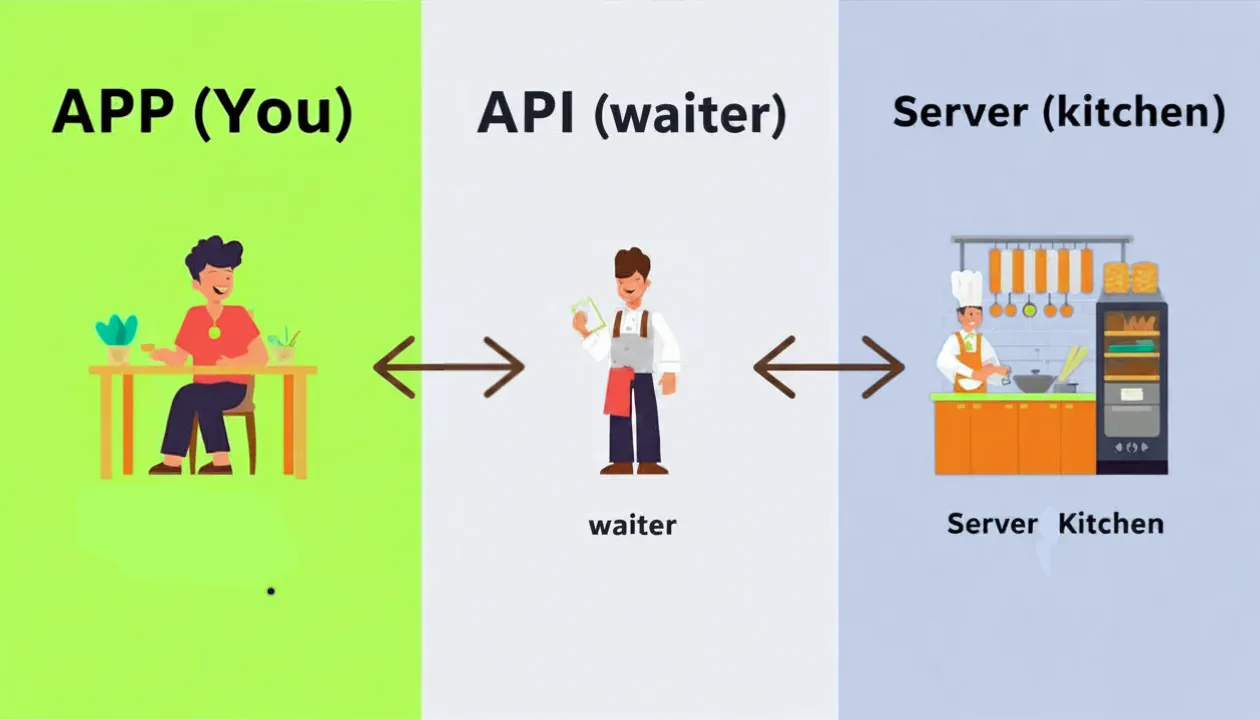
You are the customer (the app or website)
The waiter is the API
The kitchen is the server (where the data or service lives)
You don't walk into the kitchen yourself and start cooking. You don't need to know how the chef prepares your food. You simply tell the waiter what you want, the waiter takes your order to the kitchen, the kitchen prepares it, and the waiter brings it back to your table.
That's exactly how an API works.
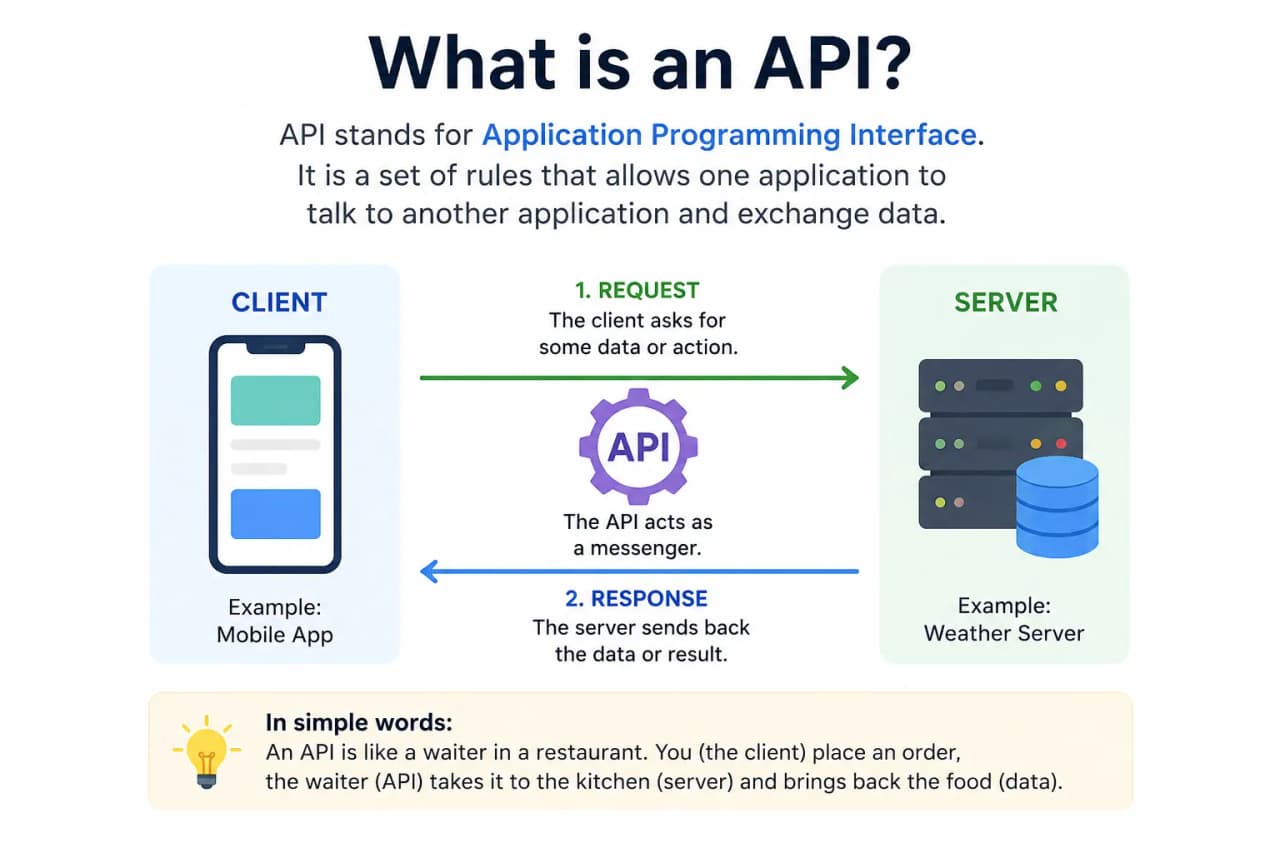
Your app makes a request. The API carries that request to the server. The server processes it and sends back a response. The API delivers that response to your app.
You never see what's happening in the kitchen. You don't need to. The waiter; the API, handles everything in between.
What Does API Stand For?
API stands for Application Programming Interface.
Three words that sound complicated but aren't. Let's break each one down:
Application: Any software program. Your Instagram app, your weather app, Google Maps, all of these are "applications."
Programming: This just means it's built with code and designed to be used by developers to connect things together.
Interface: This is the key word. An interface is a point of connection between two things. Think of a light switch, it's the interface between you and the electrical system in your wall. You don't need to understand the wiring. You just flip the switch.
Put it together: an API is a connection point that lets one application talk to another. It defines the rules for how that conversation happens, what can be asked, and what will be sent back.
How Does an API Actually Work?
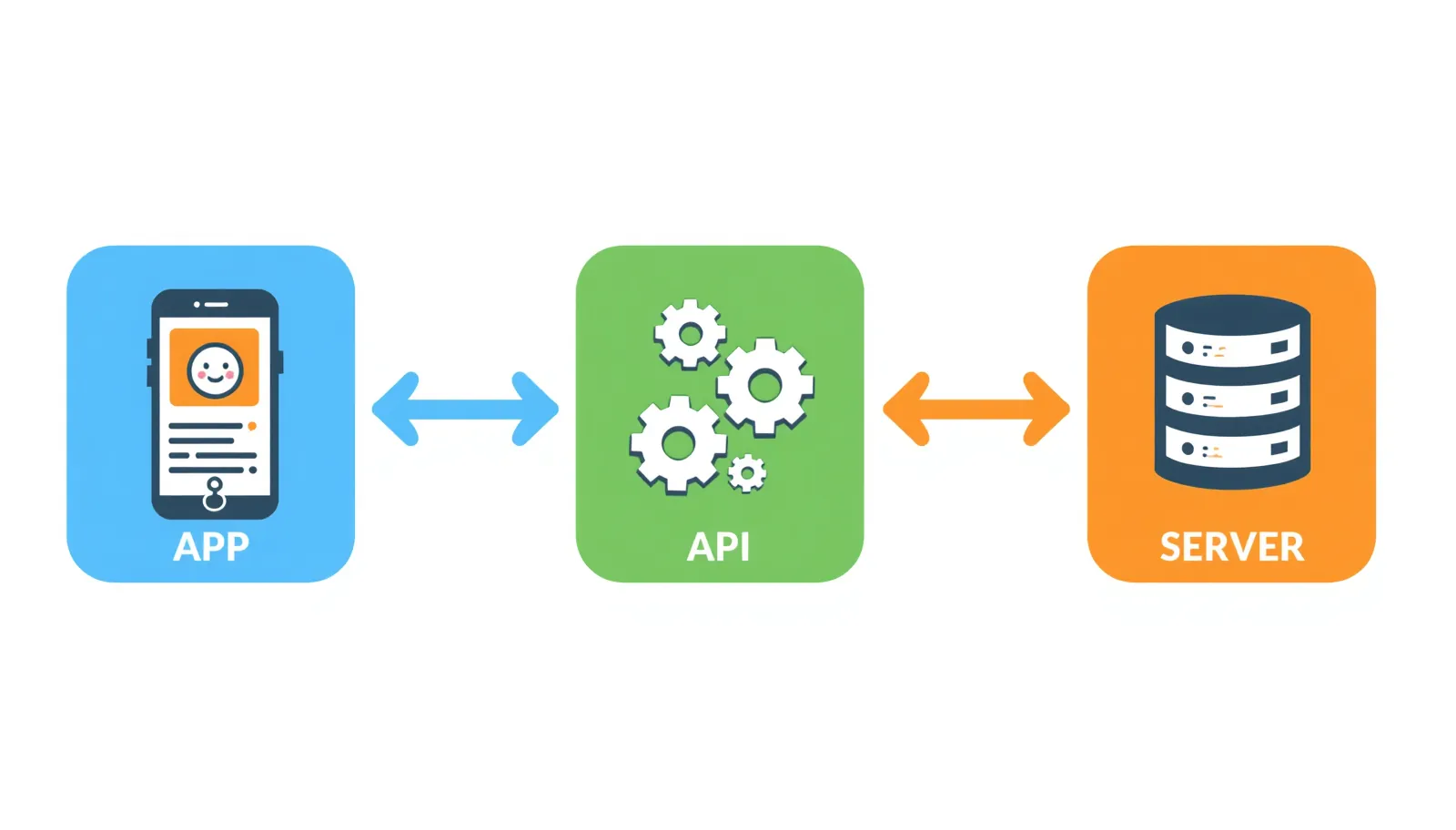
Here's the step-by-step flow, kept as simple as possible:
Step 1: Your app sends a request You open a weather app and search for the temperature in London. Your app sends a request: "What's the current temperature in London?"
Step 2: The API receives and delivers the request The API acts as the messenger. It takes your request and sends it to the weather service's server in the correct format that server understands.
Step 3: The server processes the request The weather server looks up the temperature data for London and prepares a response.
Step 4: The API returns the data to your app The API carries that response back to your app. Your app reads it and displays "London: 18°C" on your screen.
The whole process typically takes less than a second.
Here's what that response data actually looks like behind the scenes. This is a simplified example of what a weather API might send back:
{
  "city": "London",
  "country": "UK",
  "temperature": 18,
  "unit": "Celsius",
  "condition": "Partly Cloudy"
}
That's called a JSON response, it's just structured text that apps know how to read and display. Notice how readable it is even for a non-technical person. "City: London, Temperature: 18." Clean, simple, usable.
💡 Tip: You don't need to understand JSON deeply as a beginner. Just know that APIs return data in structured formats like this, and apps are built to read and display that data automatically.
Real-World API Examples You Already Use Every Day
Here's the part that usually surprises people. You interact with APIs dozens of times per day without realizing it. Every time Uber shows you a map, every time you log into a website with Google, every time you get a payment confirmation, an API made that happen.
API | What It Does | Who Uses It |
|---|---|---|
Google Maps API | Embeds interactive maps and location data into apps | Uber, Airbnb, Zomato, delivery apps |
YouTube API | Lets websites embed YouTube videos and fetch video data | Blogs, educational platforms, news sites |
Weather API | Provides real-time and forecast weather data | Weather apps, travel sites, smart home devices |
Stripe Payment API | Processes credit card payments securely | E-commerce stores, SaaS products, marketplaces |
Login With Google API | Lets users sign in to any app using their Google account | Thousands of websites and mobile apps |
The apps you love like Spotify, Instagram, WhatsApp, Uber. They all use multiple APIs working together behind the scenes. Spotify uses APIs to fetch album art and song data. WhatsApp uses APIs to send messages across different networks. Instagram uses APIs to let you share posts to Facebook with one tap.
None of that would work without APIs passing information back and forth.
What Does API Stand For: In Even Simpler Terms
If the formal definition still feels fuzzy, here's the one-sentence version:
An API is an agreement between two software programs that says: "If you ask me for this, I'll give you that."
Google's Maps API essentially says: "Send me a location name, and I'll send you back coordinates and a map." Stripe's Payment API says: "Send me card details and a payment amount, I'll process it and tell you if it succeeded."
Every API is a contract. A clear, defined way for two apps to talk to each other without needing to know how the other one works internally.
Types of APIs: REST, SOAP, and GraphQL
You don't need to master these as a beginner, but you'll hear these terms, so here's what they mean in plain English.
REST API
REST (Representational State Transfer) is by far the most common type of API today. It uses standard web addresses (URLs) to make requests and returns data in JSON format. If someone says "API" without specifying a type, they almost always mean a REST API. It's simple, fast, and works over the regular internet.
SOAP API
SOAP (Simple Object Access Protocol) is an older, more rigid API format that uses XML instead of JSON. It has very strict rules and was popular in enterprise software and banking systems. You'll rarely build with SOAP as a beginner, but you may encounter it in older corporate systems.
GraphQL API
GraphQL was created by Facebook (now Meta) and gives apps more flexibility in exactly what data they request. Instead of getting a fixed set of data, you ask for precisely what you need. Nothing more, nothing less. It's growing in popularity but is more of an intermediate-to-advanced topic.
Why Should Beginners Care About APIs?
Even if you never write a line of code, understanding APIs is genuinely useful. Here's why it matters depending on your goals:
If you want to become a web developer: APIs are everywhere in modern web development. Nearly every web app you'll build will consume at least one API. It's for payments, maps, authentication, or data. Knowing how APIs work is a foundational skill, not an advanced one.
If you want to build an app: You don't need to build everything from scratch. Need a payment system? Use Stripe's API. Need weather data? Use a weather API. APIs let you plug in powerful features instantly, cutting your development time dramatically.
If you use no-code tools: Platforms like Zapier, Make (formerly Integromat), and Bubble connect apps together using APIs, even without writing code. When you create a Zap that sends you a Slack message every time you get a new Gmail email, you're using APIs. Understanding what's happening under the hood makes you far better at building these automations.
If you're an entrepreneur or product manager: You'll regularly talk to developers who discuss APIs. Understanding the basics means you can have informed conversations, evaluate technical feasibility, and make better product decisions.
In my experience, the moment a non-technical person understands APIs, they immediately see opportunities they couldn't see before, "Oh, I could connect that tool to this tool and automate that whole process."
How to install python → see post
Apps You Use That Are Powered by APIs (Without You Knowing)
These are all apps most people use regularly, none of them would work without APIs:
Spotify: Uses APIs to fetch song metadata, album art, artist bios, and to talk to payment processors for subscriptions.
Uber: Combines Google Maps API (for routing), a payment API (for charging your card), and SMS APIs (for sending ride confirmations).
Instagram: Uses APIs to cross-post content to Facebook, to let third-party tools schedule posts, and to load location data via maps.
WhatsApp: Uses APIs to send messages between different devices and operating systems seamlessly.
Every time these apps "talk" to another service, an API is the translator making it happen.
Common Mistakes Beginners Make When Learning About APIs
1. Thinking APIs are only for developers APIs matter for entrepreneurs, marketers, product managers, and no-code builders too. Understanding APIs opens up automation and tool-building possibilities regardless of your role.
2. Confusing an API with a website A website is designed for humans to look at. An API is designed for machines to talk to. They often use the same server, but serve completely different purposes.
3. Assuming APIs are always free Many APIs have free tiers with usage limits, but heavy usage usually costs money. Google Maps API, for example, is free up to a certain number of requests per month, then charges per additional request. Always check the pricing before building something commercial.
4. Thinking you need to understand every technical detail You don't. Even professional developers use APIs without fully understanding everything happening inside them. The point is knowing what an API does and how to use it, not how it's built internally.
5. Skipping API documentation Every API comes with documentation that explains exactly how to use it. A common mistake is trying to guess or copy random code snippets without reading the docs. Official documentation (like Stripe Docs or Google Maps Platform Docs) is written to be beginner-friendly.
FAQ: What Is an API?
Q1: Do I need to know how to code to use an API? Not always. No-code tools like Zapier, Make, and Bubble let you connect and use APIs without writing any code. That said, basic coding knowledge (especially JavaScript or Python) does open up far more API possibilities.
Q2: Is an API the same as a website? No. A website delivers content for humans to read and view in a browser. An API delivers structured data for apps and machines to use. Both can live on the same server, but they serve completely different purposes.
Q3: Are APIs safe to use? Generally, yes, especially APIs from trusted companies like Google, Stripe, or Meta. APIs from reputable providers are tested, maintained, and widely used. As a beginner, stick to well-known APIs with good documentation and strong reputations.
Q4: What's the difference between a free API and a paid API? Many APIs are free up to a certain usage level. For example, a weather API might let you make 1,000 requests per day for free, then charge for more. Paid APIs typically offer more reliability, higher limits, and better support. For learning and personal projects, free tiers are usually more than sufficient.
Q5: Can I build something useful as a beginner using APIs? Absolutely. Beginners regularly build projects like weather dashboards (using a free weather API), currency converters (using an exchange rate API), or movie search apps (using the OMDB movie database API). These are all achievable within a few weeks of learning basic web development or even with no-code tools.
APIs are the invisible plumbing of the modern internet, connecting apps, sharing data, and making the digital experiences you rely on every day actually work. Now that you know what they are, you'll start noticing them everywhere.